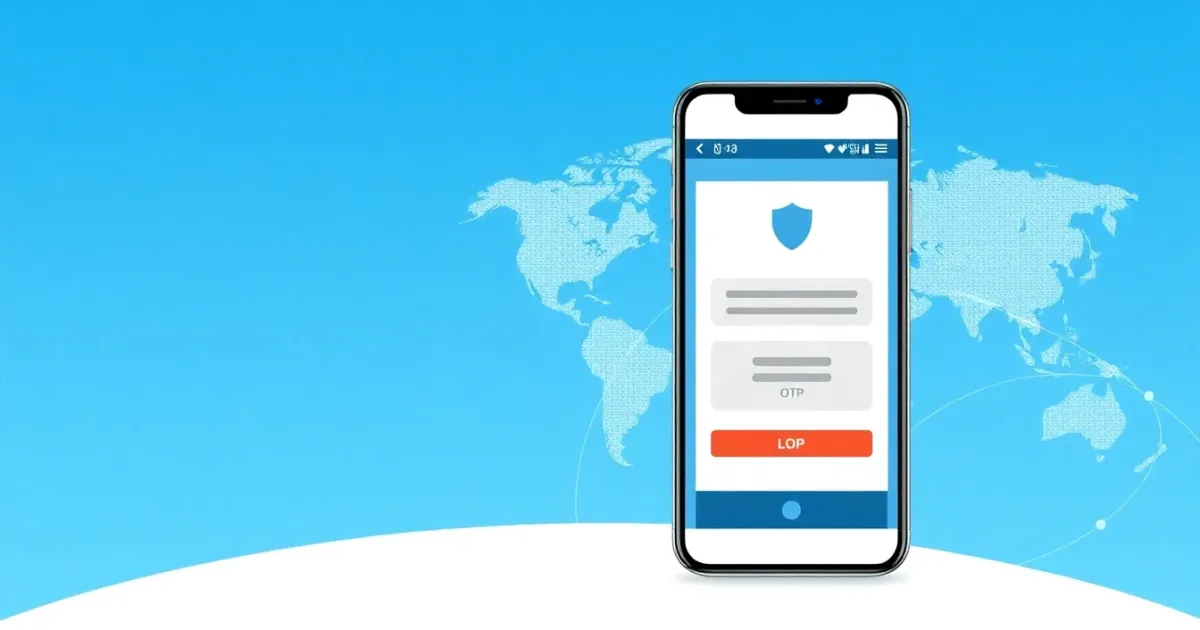
Free Verification Code App: What You Need to Know Before Using One
A free verification code app is a software tool or web service that lets users receive one-time passwords (OTP) and SMS text messages for online account registration without using their personal phone numbers. These services are commonly used to test app functionality, create secondary accounts, or protect personal privacy during online signups. However, public free verification apps come with major limitations: the numbers are shared publicly, anyone can view incoming messages, and many popular platforms automatically block these numbers to prevent spam.
Quick Answer
Free verification code apps let you receive text message codes online without sharing your real phone number. While helpful for quick tests or low-risk signups, they are rarely private and often fail on strict platforms like banking, social media, or high-security apps. For reliable access, private temporary numbers or paid rental options are usually necessary.
- Useful for quick tests and low-risk account verifications
- Inboxes are public, meaning anyone can see your verification codes
- Strict apps and financial platforms usually block these numbers
Introduction
When you sign up for a new website, app, or online service, you are often asked to enter a mobile number to receive a text message containing a verification code. This process, known as SMS verification or two-factor authentication (2FA), is designed to confirm that you are a real person.
However, many people are uncomfortable sharing their personal phone numbers with every website they visit. This hesitation has led to a surge in searches for a free verification code app. Whether you want to avoid spam, protect your data, or test how an application handles user onboarding, understanding how these apps work—and where they fail—can save you time and frustration.
What it means / how it works
A verification code app operates by connecting to digital SMS gateways and telecom networks to receive text messages over the internet. Instead of using a physical SIM card inside a smartphone, these systems route incoming messages to a web dashboard or mobile app interface.
Most free services operate using public virtual phone numbers. A provider sets up phone numbers across various country codes and displays them on a public web page. When a platform sends an OTP to that number, the message appears in the public inbox for anyone visiting the site to see.
Understanding the core terminology helps clarify how these systems function:
- OTP: A one-time password is a temporary numeric or alphanumeric code sent to verify your identity during login or registration.
- Virtual Phone Number: A phone number associated with a cloud service or software platform rather than a direct physical phone line.
- Public Inbox: A shared messaging dashboard where all incoming text messages can be viewed by any visitor.
- Carrier Filtering: Automated systems used by mobile operators and tech platforms to detect and block suspicious or automated signups.
Practical scenarios
Users look for free verification code apps in various everyday situations. Here are the most common scenarios where people encounter or utilize these services:
- Testing software builds: Developers and QA testers use virtual numbers to verify that their application's SMS dispatch and login flows work correctly across different countries.
- Creating temporary social media accounts: Users occasionally want to set up secondary profiles on forums or social platforms without linking their personal SIM cards.
- Accessing geo-restricted content: Some online services require a local phone number matching the region to unlock specific features or free trials.
- Avoiding marketing spam: People trying to download a whitepaper, view a report, or access a one-time resource use alternative numbers to prevent future promotional text messages.
- Preventing data leaks: Privacy-conscious users limit the number of websites that possess their real mobile contact information.
- Bypassing forced phone requirements: Users evaluating platforms that demand unnecessary phone data for basic browsing look for alternative verification routes.
- Managing multiple logins: Community managers or digital marketers sometimes need separate browser sessions that require unique phone validation.
Step-by-step
If you decide to use a public online SMS receiver or free verification code app, the process generally follows a standard sequence. Here is how it typically works in practice:
- Find a service: Navigate to a reputable web platform that provides public virtual numbers.
- Select a number: Browse the available list of phone numbers, categorized by country code and region.
- Copy the number: Copy the selected virtual number to your clipboard.
- Paste into the target app: Go to the website or app where you want to create an account and paste the number into the phone verification field.
- Wait for the SMS: Return to the virtual number provider's page and refresh the public inbox to check for incoming messages.
- Retrieve the code: Locate the text message containing your verification code and enter it into the app to complete registration.
Keep in mind that if the code does not appear within a few minutes, the platform may have blocked the number, or the carrier gateway may be experiencing delivery delays.
Safety/privacy/legal
Using a free verification code app comes with significant security and privacy trade-offs that every user should understand before entering sensitive details.
Because free public inboxes are open to the entire internet, anyone else visiting the same page can see the messages arriving on that number. If you use a public number to register for an account, another user could potentially view your password reset link or verification code and gain access to that account. For this reason, free public numbers should never be used for financial services, primary email accounts, or anything containing sensitive personal data.
Furthermore, virtual numbers are frequently recycled. If a number was previously used by someone else, remnants of old accounts linked to that number might still exist. Legally, using virtual numbers is generally permitted for privacy and testing, but attempting to use them to bypass platform terms of service, commit fraud, or create mass automated accounts violates the acceptable use policies of almost all major digital platforms.
Best alternatives
When free public apps fail to deliver messages or pose too many privacy risks, users often turn to alternative solutions. Depending on your goals, you can choose between public inboxes, temporary private numbers, or dedicated rental solutions.
For users who need a paid private option instead of a public inbox, PVACodes can be considered as one SMS verification solution, depending on the country, app, and current availability.
The main difference between available options lies in control and security:
- Free Public Inboxes: Best for casual, non-sensitive tests where privacy does not matter. The main limitation is that messages are visible to everyone.
- Temporary Private Numbers: Best for single-use signups where you want to ensure no one else reads your incoming OTP code.
- Rental Numbers: Best for services that require repeat logins, two-factor authentication, or future account recovery options over an extended period.
Frequently Asked Questions
What is a free verification code app?
A free verification code app is a web-based service or software tool that provides virtual phone numbers to receive incoming SMS text messages and verification codes online without using a personal mobile phone.
Are free verification apps completely safe to use?
No. Free apps that use public inboxes expose all incoming messages to anyone visiting the website. Anyone else can view your verification codes, making them unsafe for personal or sensitive accounts.
Why did my verification code not arrive?
Many popular apps and financial platforms actively block numbers associated with free online SMS services. Additionally, high traffic can cause carrier delivery delays.
Can I use these numbers for banking or crypto apps?
You should never use free public numbers for banking, cryptocurrency wallets, or primary email accounts because public visibility makes account takeover very easy.
Do virtual numbers expire?
Yes. Free virtual numbers are often rotated, recycled, or taken offline by providers without notice, meaning you may not be able to access the number again later.
Can I receive phone calls on a virtual number?
Most free verification code apps only support incoming SMS messages and do not support voice calls or outbound messaging.
What is the difference between a free number and a rental number?
A free number is shared publicly with anyone on the internet. A rental number is assigned exclusively to you for a specific timeframe, offering much higher privacy and reliability.
How do I know if a platform blocks virtual numbers?
If you enter a virtual number and immediately receive an error message stating "This phone number cannot be used" or "Invalid number format," the platform has blocked that number range.
Is it legal to use a virtual phone number?
Yes, using virtual phone numbers for privacy or software testing is completely legal. However, using them to commit fraud or violate a platform's terms of service is prohibited.
What should I do if my account gets locked?
If an account created with a temporary number gets locked and requires phone verification you no longer control, you may permanently lose access to that account.
Conclusion
A free verification code app can be a convenient tool for quick, low-risk tasks like testing software or viewing gated content without sharing your personal phone number. However, the lack of privacy in public inboxes and strict carrier blocking mean they are rarely suitable for important accounts.
Assess your security needs carefully before signing up for online services. If you require long-term access, account recovery options, or guaranteed privacy, skip the public inboxes and choose a private temporary or rental number instead.