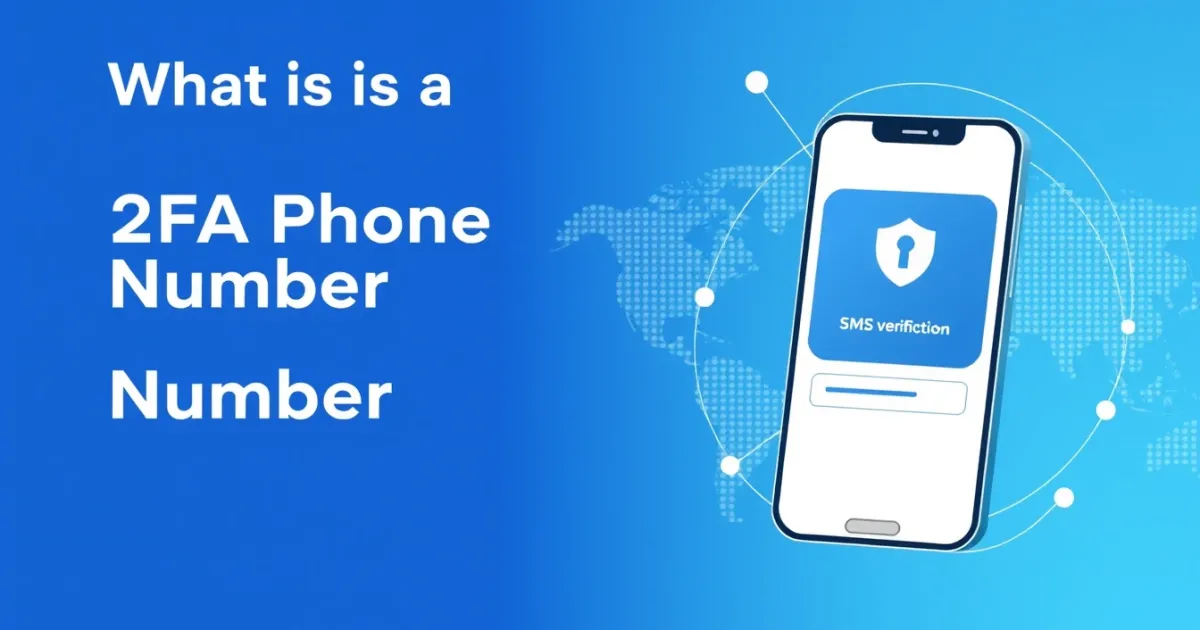
What Is a 2FA Phone Number and How Does It Protect Your Accounts?
A 2FA phone number is a telephone number used to receive a one-time password (OTP) or security code when setting up two-factor authentication on a website or app. When you log in with your password, the platform sends a short verification code via SMS or voice call to this number to confirm your identity. While convenient for account security, public or temporary numbers carry privacy risks if used on unverified platforms.
Quick Answer
A 2FA phone number acts as an extra security layer beyond your password. The system sends a verification code via text message that you must enter to complete your login.
- Can be a personal mobile number, a VoIP number, or a temporary online number
- Provides strong account protection against unauthorized password access
- Can fail if mobile carrier networks experience delivery delays or if numbers are blocked by security filters
What It Means and How It Works
Two-factor authentication, commonly called 2FA, adds a second step to the standard login process. Instead of just entering your username and password, you must provide a second piece of evidence. Most online platforms use an SMS text message sent to your 2FA phone number as this second factor.
Here is the standard workflow of how it works behind the scenes:
- You enter your correct username and password on a website or application login screen.
- The platform's server recognizes that your account requires 2FA security.
- The system generates a temporary code, usually four to eight digits long, known as an OTP (one-time password).
- The server routes this code through an SMS gateway to the mobile carrier associated with your 2FA phone number.
- Your phone receives the text message containing the verification code.
- You type that code back into the website or app within a strict time limit, typically 5 to 10 minutes.
- The system verifies the code and grants you access to your account.
This process stops hackers who might have stolen your password in a data breach. Unless they also possess physical access or remote control of your 2FA phone number, they cannot complete the login sequence.
Practical Scenarios
People use 2FA phone numbers across many different digital environments to protect personal data, financial assets, and communication channels. Understanding where these numbers are commonly applied helps you decide which type of number to use for specific tasks.
- Logging into online banking and financial dashboards: Banks require phone verification to approve money transfers, change account passwords, or add new beneficiaries.
- Securing primary email accounts: Protecting services like Gmail, Outlook, or Yahoo prevents hackers from resetting passwords on your other connected platforms.
- Accessing work collaboration and cloud storage tools: Enterprise software requires verification to safeguard company documents, proprietary code, and sensitive customer records.
- Setting up social media and messaging profiles: Platforms like Instagram, Facebook, and WhatsApp use phone numbers to verify that real humans are operating the accounts and to recover lost credentials.
- Testing software development builds: Developers and QA engineers use virtual phone numbers to automate login tests and verify that their applications send SMS codes correctly.
- Managing cryptocurrency exchanges and digital wallets: High-risk financial assets require strict 2FA implementation to stop unauthorized token withdrawals.
- Signing up for occasional online services: Users sometimes separate personal phone numbers from casual web registrations to keep spam text messages away from their primary device.
- Recovering locked user accounts: When you forget your password, the platform often sends an SMS recovery link or code to your registered phone number to prove ownership.
Step-by-Step
Setting up a 2FA phone number on most websites follows a straightforward procedure. Whether you are using a personal mobile line or an alternative solution, the path through the security settings remains similar.
- Log into the specific website, app, or service where you want to enable extra security.
- Navigate to your account settings, profile menu, security tab, or privacy dashboard.
- Look for options labeled "Two-Factor Authentication," "2FA," "Two-Step Verification," or "SMS Authentication."
- Select the option to enable or set up SMS-based verification.
- Enter your chosen 2FA phone number carefully, including the correct country code and area code.
- Wait for the platform to send a test verification code to that number via SMS.
- Type the received code into the confirmation box on the screen to verify that the number belongs to you and is working correctly.
- Save or download the backup codes provided by the platform in case you lose access to your phone later.
Safety, Privacy, and Legal
Using a phone number for online security involves important privacy trade-offs. Whenever you link your personal mobile number to a web platform, you share personal data that can be tracked, stored, or exposed in future data breaches.
Furthermore, relying entirely on SMS-based 2FA carries inherent vulnerabilities. Mobile carriers can sometimes be tricked by malicious actors into transferring your phone number to a new SIM card through a technique known as SIM swapping. Once a hacker controls your SIM card, they receive your 2FA text messages and can bypass your account protections.
Publicly shared phone numbers found on free online SMS websites offer a way to avoid sharing personal data, but they present major security risks. Anyone can view messages sent to public inboxes. If you use a public number for a sensitive personal account, strangers can read your reset codes and take over your profile. For private accounts, always use a private mobile line or a secure paid virtual number.
Best Alternatives
While standard SMS verification remains common, it is not the only way to secure your accounts. Depending on your privacy needs and the platform you are using, several alternatives can replace or supplement a traditional 2FA phone number.
Authenticator apps like Google Authenticator, Authy, or Bitwarden generate time-based one-time passwords (TOTP) directly on your device without needing a cellular network or SMS message delivery. These apps are immune to SIM swapping.
Hardware security keys, such as YubiKey, plug into your computer or connect via NFC to your phone. They offer the highest level of phishing protection because they cryptographically verify the exact website you are visiting.
For users who need to receive SMS verification codes without exposing their personal mobile lines to public databases, PVACodes can be considered as one virtual number solution, depending on the country, app, and current service availability.
Frequently Asked Questions
Q
What is a 2FA phone number?
A
A 2FA phone number is a telephone number designated to receive security verification codes via text message or voice call when logging into an online account.
Q
Can I use a VoIP number for 2FA?
A
Many websites accept VoIP numbers, but some financial institutions and high-security platforms block them because they are easier to set up anonymously than traditional mobile numbers.
Q
Why is my 2FA verification code not arriving?
A
Codes can fail to arrive due to carrier network congestion, poor cellular signal, spam filters blocking the message, or the platform experiencing internal gateway delays.
Q
Is SMS 2FA safe to use?
A
SMS 2FA is safer than using a password alone, but it remains vulnerable to SIM swapping attacks and interception compared to hardware keys or authenticator apps.
Q
What happens if I lose access to my 2FA phone number?
A
Most platforms provide backup recovery codes or alternative verification methods like email confirmation to help you regain access if your phone is lost or broken.
Q
Can I use the same phone number for multiple accounts?
A
Yes, most websites allow you to use a single personal mobile number across multiple different services, though some platforms restrict how many accounts can share one number.
Q
Are free online phone numbers safe for 2FA?
A
No. Free online numbers have public inboxes that anyone can view, meaning strangers can see your verification codes and gain access to any accounts linked to them.
Q
How do authenticator apps compare to SMS 2FA?
A
Authenticator apps generate codes offline on your device, making them faster and safer against interception than waiting for an SMS text message to arrive.
Q
Do I need a country code when entering my 2FA number?
A
Yes. International platforms always require the correct country code, such as +1 for the United States or +44 for the United Kingdom, to route the SMS correctly.
Q
What should I do if my 2FA number is stolen or compromised?
A
Contact your mobile carrier immediately to lock your SIM card, log out of your online accounts from active sessions, and update your recovery methods.
Conclusion
A 2FA phone number plays a vital role in keeping your digital life secure by adding an extra layer of defense against unauthorized logins. While standard SMS verification is easy to set up, you should weigh the privacy risks of sharing personal data against the security benefits. When handling sensitive accounts, combine your verification methods with strong passwords and backup recovery codes to maintain full control over your online identity.