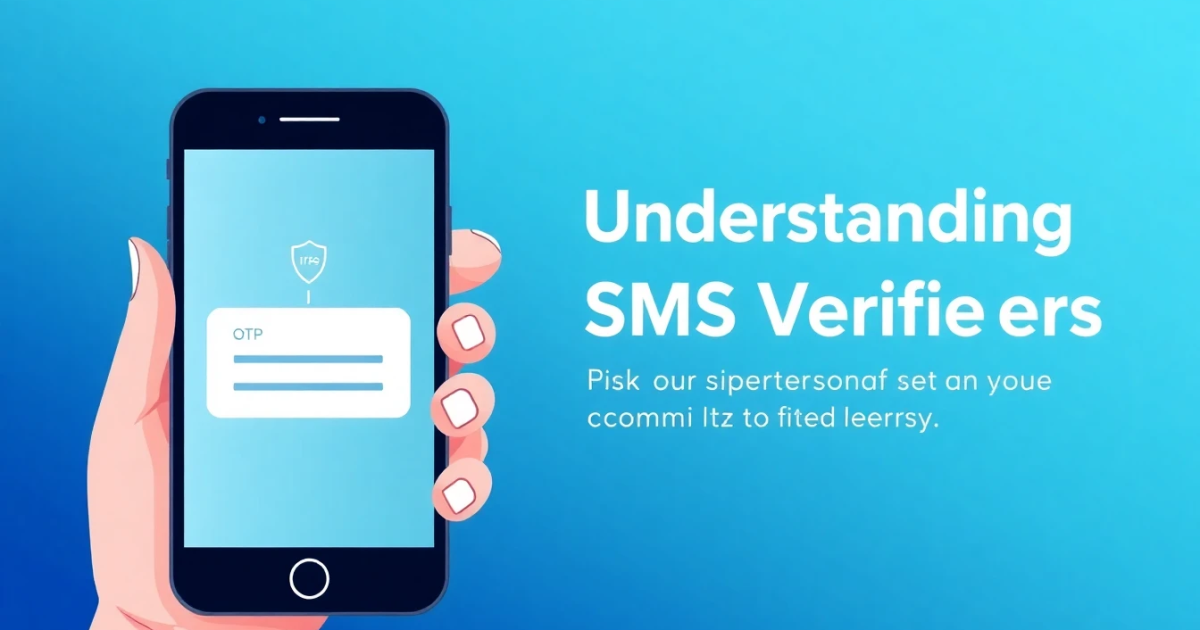
Understanding SMS Verifiers: Your Guide to Secure Online Communication
Introduction
An SMS verifier is a service that ensures the verification of a user's identity using one-time passwords (OTPs) sent to their mobile phone via SMS. This mechanism adds an extra layer of security for various online services, preventing unauthorized access to personal information and accounts. With the rise of digital transactions and online accounts, understanding how SMS verifiers work can help you stay safer in the online realm.
What It Means / How It Works
When you use an SMS verifier, you typically provide your phone number during the sign-up or login process of an online platform. Once submitted, the service sends a text message that includes a unique OTP to your phone. You then enter this code on the website to verify your identity and gain access to your account or finalize a transaction. Here’s a breakdown of how SMS verification works:
- User Registration: You sign up on a platform and provide your mobile number.
- Code Generation: The service generates an OTP, which is a 6 to 8-digit number that's specific to your login attempt.
- SMS Delivery: The OTP is sent to the provided phone number via SMS.
- Code Entry: You enter the code back into the service portal.
- Verification Process: The platform checks if the manually entered code matches the one sent out. If it does, you are granted access.
Practical Scenarios
Here are some common use cases in real life where SMS verifiers play a critical role:
- Online Banking: Banks require OTPs for logging into accounts and performing transactions to safeguard your financial information.
- E-commerce Transactions: Online stores send OTPs for confirming payments to ensure the legitimacy of the purchaser.
- Social Media Logins: Platforms like Instagram send an SMS verification code when you log in from a new device or location.
- Account Recovery: When you forget your password, SMS verification helps securely reset your access by confirming your identity.
- Two-Factor Authentication: Many services include SMS verification as part of their 2FA process for added security.
- Subscription Services: App sign-ups often use SMS verification to validate user details and cleanse the platform from bot registrations.
- Health Applications: Many medical platforms rely on SMS verifiers to authenticate users before allowing access to sensitive health information.
- Government Services: Increasingly, governmental and public services utilize SMS verifications to secure access to sensitive citizen data or applications.
- Online Education Platforms: Learning management systems use SMS verifications to authenticate students for exams or course access.
- Ride/Service Aggregators: Apps like Uber often require phone verifications before using their services to ensure user identification and security.
Step-by-Step
If you need to use an SMS verifier, following these steps can ensure smooth and secure usage:
- Choose the Right Platform: Identify the platform needing SMS verification and create an account if you haven’t done so already.
- Provide Your Phone Number: Enter a valid mobile number where you can receive OTPs. Make sure it is correct to avoid complications.
- Receive the OTP: Wait for a few seconds as the SMS containing the OTP arrives. Keep in mind that delivery may vary by mobile carrier.
- Input the Code: Enter the OTP accurately in the prompted field on the website or app you are trying to access.
- Access Your Account: Once your code has been successfully verified, proceed to navigate your account or complete your transaction.
- Enable Two-Factor Authentication: Consider enabling SMS verification as part of a 2FA setup for any account to enhance security.
Safety / Privacy / Legal
While SMS verifiers offer added security, they come with inherent risks and considerations:
- Privacy Risks: If your phone number is leaked or exposed, cybercriminals may gain access to verification codes that are sent to you.
- SIM Swap Attacks: Fraudsters can hijack your phone number through tactics that involve spoofing or porting your number to a SIM under their control.
- Phishing Attacks: Be aware of phishing attempts wherein bad actors impersonate legitimate services to extract your personal information.
- Delayed Messages: Sometimes, technical glitches may prevent SMS deliveries on time, creating barriers to access essential services immediately.
- Legal Aspects: Check the privacy policy and terms of service on platforms employing SMS verifiers to understand how your data is handled.
Best Alternatives
While SMS verifiers are useful, some individuals may prefer to explore other verification methods for enhanced security:
- Authentication Apps: Apps like Google Authenticator or Authy create codes that can be used in place of SMS verification, reducing the risk of intercepted messages.
- Hardware Tokens: Physical security keys can be employed for multi-factor authentication, often more secure than SMS codes.
- Email Verification: Some platforms offer email OTPs, which can be a safer alternative in regions with high SIM swap fraud rates.
- Specialized Services: For SMS verification and OTP reception from multiple platforms, consider services like PVACodes, which provides secure virtual numbers for verification purposes.
Frequently Asked Questions
What is an SMS verifier?
An SMS verifier is a service used to authenticate users during online transactions by sending one-time passwords (OTPs) to mobile devices for secure access.
How does SMS verification work?
It involves sending a unique OTP via SMS to the user’s mobile number, which they then input on the platform to verify and secure their identity.
Is it safe to rely on SMS verifiers?
While they provide an extra layer of security, SMS verification is susceptible to certain risks like SIM swapping and phishing attacks. Ensure to follow security best practices.
What should I do if I do not receive the OTP?
If you’re not receiving an OTP, check if your mobile phone is adequately connected to a network, and ensure that the number is correctly registered. You may attempt to resend the code after a brief wait.
Can an SMS verifier be bypassed?
While bypass methods exist, they are typically unauthorized and often illegal. It is improbable to completely bypass an SMS verifier if you are following the platform’s regulations.
Are there alternatives to SMS verifiers?
Yes, you can use alternatives like authentication apps, hardware tokens, or email verification for verifying identities, providing different levels of security.
What mobile number should I use with SMS verification?
It is best to use a private number associated with services that you trust and control. Avoid using recycled or public numbers to mitigate security risks.
What happens if someone else receives my OTP?
If someone else has access to your OTP, they could potentially obtain unauthorized access to your account. Always protect your number and report unauthorized access immediately.
How long is an OTP valid?
The validity period of an OTP varies by service but usually lasts between 5 to 10 minutes. After that, you will need to request a new code.
Can I use SMS verification for account recovery?
Yes, SMS verification can be used as a part of the account recovery process by sending a code to verify your identity and help reset your password.
Conclusion
In a digital landscape filled with threats and vulnerabilities, SMS verifiers give users peace of mind for secure online transactions and communications. While they enhance security through OTPs, remaining vigilant about privacy risks is crucial. Exploring other authentication methods for increased security can also be beneficial. Always utilize SMS verification thoughtfully to maximize your online safety.