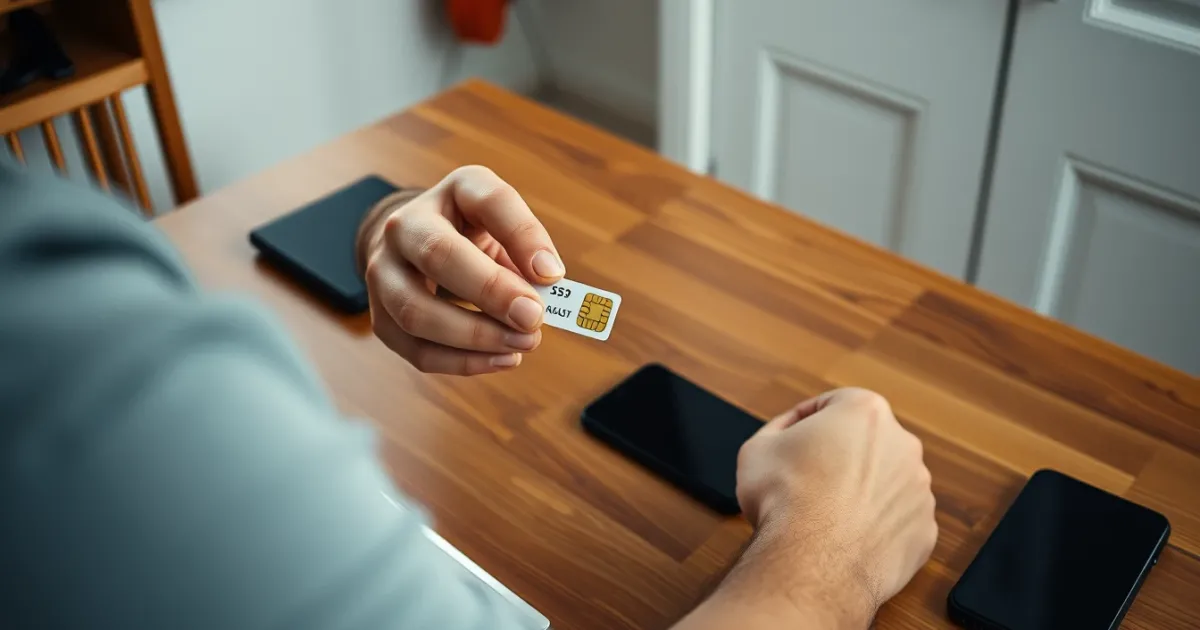
How to Verify Viber Without Your Own Phone Number
You can verify Viber without your own SIM by registering with a number you can receive an SMS or a call on, such as a landline, a spare SIM, a family member's number (with their consent), or a rental virtual number. Viber ties every account to one phone number, so there's no skipping the step. You just need a number that can receive the code.
The catch: Viber is stricter than most apps about number types. Some VoIP (voice over internet protocol) numbers get rejected, and a number that works today can be reassigned tomorrow. That matters because the number is your account's identity.
Quick answer
Enter any number that can receive a text or an automated voice call, then type the 6-digit code Viber sends. Landlines work through the "Call me" option. Virtual numbers sometimes work, but Viber may refuse them. Never use a temporary number for an account you want to keep.
Why Viber insists on a phone number
Viber doesn't use usernames or emails as the main login. Your phone number is the account. Contacts are matched through numbers in your address book, and that's how friends see you on the app.
So "verifying without your phone number" really means "verifying with a number that isn't on your main SIM". The code is a one-time password (OTP), and whoever receives it controls the account at that moment.
Number formats that Viber accepts
Viber wants the full international format: a country code, then the national number with no leading zero. Getting this wrong is the most common reason people think the code "never arrived".
| Country | Local format | Enter in Viber as |
|---|---|---|
| United Kingdom | 07911 123456 | +44 7911 123456 |
| United States | (415) 555-0132 | +1 415 555 0132 |
| Germany | 0151 23456789 | +49 151 23456789 |
| India | 98765 43210 | +91 98765 43210 |
Notice the UK and German examples drop the leading 0. Typing +44 07911... is a classic slip, and the code will go nowhere. Viber's country picker usually fills in the prefix for you, so type only the national part.
Your realistic options, from safest to riskiest
A landline or home phone
If the number belongs to you or someone you trust, this is the cleanest route. Viber offers a voice call that reads out the code when the SMS doesn't come. Landlines can't receive texts, so you'll wait for that "Call me" button, which typically appears after a minute or so of waiting.
A spare or secondary SIM
A cheap prepaid SIM kept active is the most reliable long-term choice. It's a real mobile number, carriers don't flag it as VoIP, and you can keep it for account recovery. The downside is cost and the need to top it up occasionally, because inactive prepaid numbers get recycled.
A family member's or friend's number
This works if they'll read you the code. It also means they can later receive a re-verification code for your account, so only do it with someone you'd trust with the account itself.
A virtual or rental number
Services like PVACodes offer numbers that receive SMS online, with availability varying by country. They help if you don't want to expose your personal number. But we'll be straight: Viber rejects some VoIP ranges outright, and a success on one number doesn't guarantee the next. Check the number type and current terms before paying.
If you're deciding between approaches, our guide on creating a Viber account without a phone number covers the setup side in more detail.
Mobile vs landline behavior
On a mobile number, Viber sends an SMS first. If nothing lands, it falls back to an automated call. On a landline, the SMS silently fails, and only the call works. Many people stare at the screen waiting for a text on a landline and give up before the call option appears.
Also, Viber can send the code through its own channel on a device that already has the app. If the number was previously registered somewhere else, you might get a prompt to move the account instead of a plain SMS.
How carriers affect delivery
Viber's code arrives as a normal SMS, so it's subject to ordinary carrier filtering. Some operators run spam filters that delay or drop messages from international or unregistered senders. That's widely reported rather than a fixed rule for any one carrier, and behavior changes without notice.
Roaming is another quiet cause. If your SIM is abroad with data roaming off, texts can still arrive, but delays of several minutes aren't unusual. Switching to airplane mode for ten seconds and back often nudges a stuck message through.
Realistic use cases
- Travelers who swapped to a local SIM and want to keep a home-country Viber identity.
- Small business owners who want a separate customer-facing number rather than their personal one.
- People with a dual-SIM phone who want a work line on Viber.
- Someone whose own SIM is broken or lost and who needs a temporary route in.
The common thread is a legitimate account you plan to keep using. Viber is a poor fit for throwaway one-time use, because the number remains the login.
Scams and mistakes to avoid
The biggest scam pattern: a stranger asks you to "send me the 6-digit code you just got" to prove you're real, win a prize, or confirm a sale. That code is your Viber login. Hand it over and they take your account, then message your contacts asking for money.
Other mistakes we hear about often:
- Using a free public-inbox number. Anyone can see the code, so anyone can grab your account.
- Paying for a number that was already registered on Viber, which triggers a transfer prompt rather than a fresh signup.
- Letting a rental number expire. Once it's gone, you can't receive the next code and may lose the account.
- Typing the leading zero after the country code.
A related caution applies to other apps too. If you're curious how this works elsewhere, see verifying an Apple ID without your own number.
Frequently asked questions
Can I use Viber without any phone number at all?
No. Viber requires a number to create an account. The only variable is which number you use, not whether you provide one.
Does Viber work with a landline?
Yes, through the voice call option. Wait for the "Call me" button, answer, and note the code the automated voice reads out.
Why is my Viber code not arriving?
Usually a wrong format, poor signal, a landline number, or carrier filtering. Re-enter the number without a leading zero, wait for the call fallback, and try again after a few minutes.
Do virtual numbers work with Viber?
Sometimes. Viber blocks certain VoIP ranges, so results vary by number and country. Test with a short rental before relying on one.
Is it safe to share my Viber code with someone?
Never share it with a stranger. Only the person whose number you're borrowing should see it, and only because you've agreed to it.
Can I change my Viber number later?
Yes. Viber has a "Change phone number" option in settings, which moves your account and chat history to a new number. Do it while the old number still works.
What happens if my rental number expires?
You can't receive future codes on it. If you haven't changed to a permanent number, you may be locked out when you reinstall the app or switch phones.
Can two phones use one Viber number?
One phone is primary, and Viber lets you link a desktop or tablet. A second phone with the same number would take over the account instead.
Is a second SIM better than a virtual number?
For accounts you'll keep for years, usually yes. A real mobile SIM is less likely to be rejected and is easier to recover later.
Which route to pick
For a Viber account you care about, use a real SIM or landline you control, and change the number inside the app if you ever switch. Virtual numbers fit short-term or privacy-driven cases, but don't expect them to be accepted every time. Skip any free public inbox, and never pass the code to someone you don't know. Start by testing the exact format in the table above, and if the SMS doesn't arrive in two minutes, wait for the call option.