How to Verify OpenAI Without Your Own Phone Number
You can't skip the phone step when you sign up for OpenAI, but the number doesn't have to be your main personal one. The workable options are a second real mobile number (a prepaid SIM or eSIM), a family member's number used with their consent, or a rental number from a provider, with the catch that OpenAI often rejects numbers it recognizes as internet-based.
Quick answer
OpenAI sends a six-digit code by SMS (short message service) to confirm a new account. Any real mobile number you can receive texts on will do. Virtual or VoIP (voice over internet protocol) numbers are frequently refused, so a cheap prepaid SIM or eSIM is the most dependable choice if you don't want to use your own line.
Why OpenAI asks for a number at all
It's an abuse filter. Free AI access attracts bots and people mass-creating accounts, and a phone number is a cheap way to make that harder. OpenAI also limits how many accounts one number can be tied to, so the same number can't be recycled endlessly.
That matters for your plan. Whatever number you pick gets linked to the account, and OpenAI may use it again if you get locked out or need to confirm it's you. Choose something you can still reach in a few months.
The options, ranked by how often they work
A second real mobile number
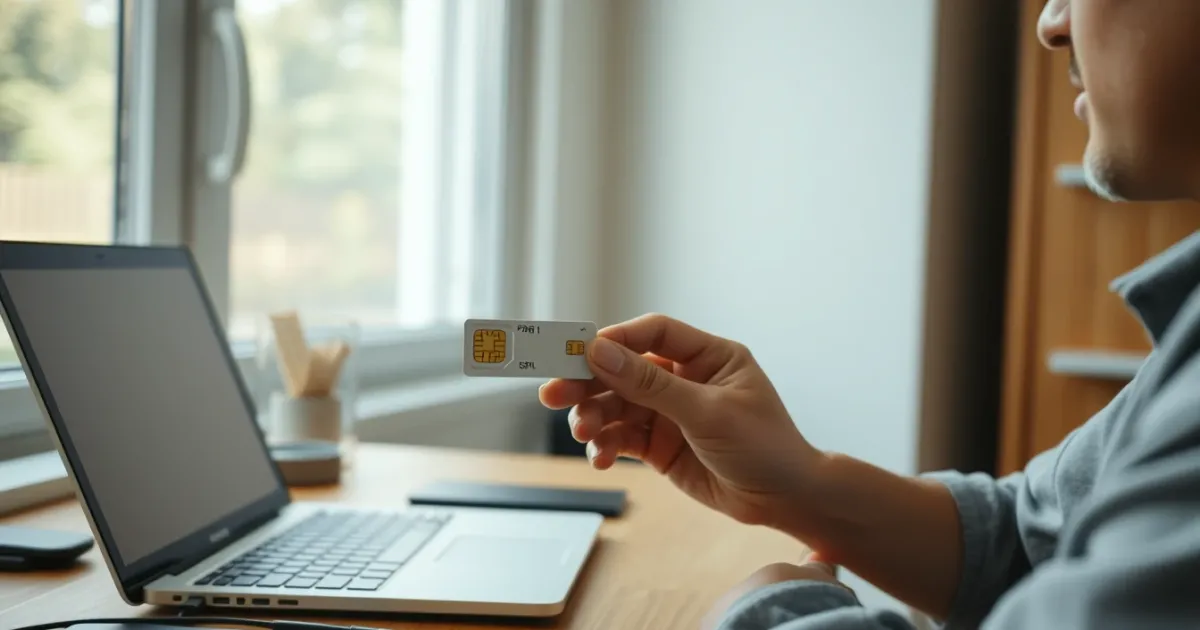
This is the reliable route. A prepaid SIM from any carrier in your country, a second eSIM profile on a phone that supports it, or a secondary line from a mobile provider all count as ordinary mobile numbers. OpenAI sees a normal carrier-issued number and sends the code.
Prepaid SIMs are often a few dollars, and many keep receiving texts even with no balance, though that varies by carrier. Check yours before you rely on it.
A trusted person's number
A partner, parent or friend can receive the code and read it out to you. It works fine, with two conditions: they must agree, and you should understand that the number is now tied to your account. If they change numbers or you fall out, account recovery gets awkward.
A rental or virtual number
This is where expectations need adjusting. Some services rent numbers that receive SMS, and PVACodes offers rental numbers for many countries and apps, though availability varies. But OpenAI has a reputation for rejecting number ranges it identifies as VoIP, and success depends on the specific number, the country and the day. Some work on the first try. Plenty don't.
You'll know it's failing in one of two ways: the signup screen refuses the number outright, or it accepts it and the code never arrives. Don't keep hammering "resend." Repeated attempts can trigger a temporary cooldown on that number or your connection.
What doesn't work
- Landlines, since the code is sent by SMS and most landlines can't receive texts.
- Free public inboxes where dozens of strangers see the same messages. Those numbers are usually already burned or blocked, and anyone watching could read your code.
- Skipping the step by signing in with Google, Microsoft or Apple. Those options handle your login, but OpenAI can still ask for a phone number on a new account.
Format mistakes that waste your code
A surprising number of failures are formatting, not blocking. OpenAI's signup screen has a country dropdown. Pick the country the number belongs to first, then type the number.
Leave out the country code in the box if the dropdown already shows it. A UK mobile like 07123 456789 should be entered without the leading zero, because the +44 already covers that. Typing +44 07123... doubles up the prefix and the number fails silently or gets flagged as invalid. The same trunk-zero rule applies to many European and Asian numbers.
If you're using an eSIM or a second SIM, check that the line you chose is the one set to receive SMS. On dual-SIM phones, texts to the secondary line sometimes land only when that SIM has mobile data or roaming switched on for messages.
Step by step with a prepaid SIM
- Buy a prepaid SIM or add an eSIM plan that includes a real mobile number with SMS.
- Insert or activate it, and confirm it receives a normal text from another phone first.
- On the OpenAI signup page, create the account with your email, then choose the correct country in the phone field.
- Enter the number without the leading zero and request the code.
- Type the six-digit code within a few minutes. If it doesn't arrive in about two minutes, request one resend, then wait.
Codes typically show up within seconds to a minute or so. Delays past five minutes usually point to a carrier filter, weak signal or a blocked number type, not slow servers.
When the code doesn't arrive
Work through it in order. Confirm signal and that the SIM can receive any SMS. Turn off a VPN, since a mismatch between your IP location and the number's country can trigger extra checks. Switch to a different browser or the mobile app. Then try another number type if the first one was virtual.
Some carriers filter messages from short codes or unfamiliar senders, particularly on cheap prepaid plans or with spam protection turned on. If texts from banks arrive but OpenAI's don't, ask the carrier whether short-code blocking is enabled. We've seen the same pattern across other apps; the troubleshooting is similar to what's covered in this guide on verification codes that don't arrive.
Privacy and risk considerations
A phone number links an account to a real-world identity, however loosely. Using a throwaway number has a real trade-off: if the SIM lapses or the rental expires, you may be unable to receive a recovery code later. Account recovery on a dead number can mean losing chat history and any paid subscription tied to it.
Never share your OpenAI code with anyone who contacts you asking for it. Scammers pose as "support" or as sellers of ready-made accounts. Buying a pre-verified OpenAI account is a bad idea in its own right. Those accounts are often created in bulk, can be banned without warning, and the seller may keep access to the email on file.
Also keep it honest. OpenAI's terms limit how many accounts you can create and prohibit using multiple accounts to dodge usage limits. One account per person, with a number you control, is the safe route. Other services run the same kind of check, as seen in the walkthrough for creating a Brevo account without a phone number, and the rules differ app by app.
Realistic situations where this comes up
Most people asking this aren't doing anything unusual. A few typical cases:
- You don't want a personal number sitting in yet another company's database.
- Your phone has no service where you live, such as a data-only SIM abroad.
- You're setting up an account for a small business and want it tied to a work line.
- Your only number is already linked to the maximum number of OpenAI accounts.
For the first three, a dedicated prepaid or eSIM line solves it cleanly. For the last, check the limit before buying anything; a different number won't help if the real problem is that you're trying to create extra accounts.
Frequently asked questions
Can I use ChatGPT without any phone number?
Not for creating a new account in most cases. Phone verification is part of signup. Some features may be available without logging in, but those are limited and the rules change, so check the current ChatGPT page.
Does OpenAI accept Google Voice numbers?
Often not. Google Voice is a VoIP service, and OpenAI commonly rejects that type. Some people report occasional success, but there's no guarantee, and results differ by region and time.
Will a landline work?
Generally no, because the code arrives by text message. A few landline providers support SMS-to-landline, but it's rare and unreliable for this purpose.
How long does the OpenAI code take?
Usually under a minute. If nothing arrives after two or three minutes, wait before requesting another, since multiple resends can lock the attempt for a while.
Can two people share one number?
Technically yes, within OpenAI's per-number limit, but both accounts depend on that number for recovery. If the owner loses access, both are affected.
Is it safe to use a free online SMS site?
No. Those inboxes are public, so anyone can see your code and potentially hijack the verification. They're also commonly blocked already.
Do I need the number after signup?
You may be asked for it again during account recovery or suspicious-login checks. Keep the SIM or line active if the account matters to you.
Can I change the phone number later?
OpenAI's settings may allow it, but it requires verifying with a code, and the new number must pass the same checks. Look in account settings for the current options.
Will a VPN help me get the code?
Usually it makes things worse. A VPN location that doesn't match your number's country can trigger extra scrutiny. Turn it off while verifying.
Why does it say my number is invalid?
The usual causes are a doubled country code, a leftover leading zero, the wrong country selected, or a number type OpenAI doesn't accept. Fix the format first, then try another number.
Which route to pick
Get a prepaid SIM or eSIM if you want the least hassle; it works far more often than any virtual option and keeps recovery possible. Use a rental number only if you accept that it may be refused and you can afford to try a few. Skip all of this if your goal is running several accounts to get around limits, since that's against OpenAI's rules. Your next step: confirm the number can receive a plain text today, then try the signup once, formatted correctly.