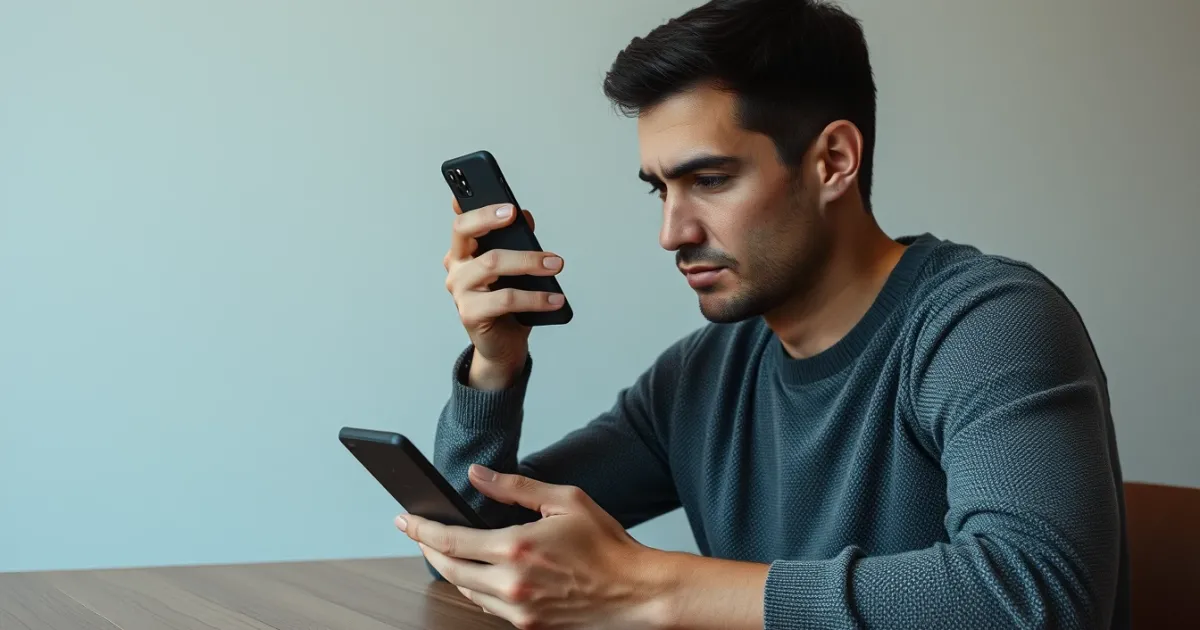
Coinbase SMS Code Not Received: Why It Happens and How to Fix It
If your Coinbase SMS verification code isn't arriving, the quickest fix is usually waiting sixty seconds, toggling airplane mode to force a fresh cell tower handshake, and requesting a voice call fallback instead of another text message. When a crypto exchange stalls your login or withdrawal over a missing code, the delay stems from carrier filtering, gateway congestion, or strict anti-fraud rules.
Most people hit this wall right when trying to move funds or sign in from a new device. Knowing the root cause helps you bypass the frustration without risking your account security.
Quick answer
Coinbase SMS codes usually fail because of mobile carrier spam filters, network latency, or blacklisted VoIP prefixes. Wait at least two minutes before requesting a new code, clear your browser cache, or switch your two-factor authentication method to an authenticator app like Google Authenticator or a hardware security key.
Understanding the Coinbase Verification Flow
Crypto exchanges handle high volumes of automated security traffic every second. When you enter your password, Coinbase triggers an API request to an SMS gateway provider, which hands the message off to telecommunication networks worldwide. That chain involves multiple handoffs.
If any single node in that chain drops packets or flags traffic, your one-time password (an OTP, which is a temporary numeric code used for two-factor authentication) simply vanishes before hitting your inbox. Major carriers often mistake high-frequency short-code senders for automated spam, routing messages into internal quarantine filters.
Sometimes the delay is localized. T-Mobile and AT&T towers frequently experience 30 to 120-second queues during peak evening traffic hours, meaning your OTP isn't lost—it's just moving slowly through a congested gateway queue.
Immediate Troubleshooting Steps for Missing OTPs
Before changing your account settings, you need to rule out simple device glitches. Run through these steps in order:
- Toggle airplane mode on your phone for ten seconds, then turn it off to force your device to reconnect to the nearest cell tower.
- Check your messaging app's block list or spam folder. Many modern smartphones automatically filter out unknown short-code numbers.
- Restart your device entirely to clear corrupted SMS cache files in your operating system.
- Disable any active third-party call-blocking or VPN applications that might interfere with carrier data packets.
- Ensure your phone's internal storage isn't completely full, as devices occasionally reject incoming SMS messages when storage hits absolute capacity.
If you have tried public inbox options or cheap virtual numbers in the past, keep in mind that crypto platforms have tightened their security drastically. Many services struggle with platform-level bans. If you need alternative verification workflows for other platforms, understanding public options versus dedicated assets is critical—many users look into a public SMS inbox vs private number comparison to see why shared lines consistently fail on financial apps.
Carrier-Level Blocks and VoIP Restrictions
A frequent reason for missing codes relates to your phone number type. Coinbase, like most financial institutions, strictly monitors whether a registered number belongs to a traditional mobile carrier or an internet-based virtual network operator (VoIP). VoIP numbers are heavily restricted or outright blocked to prevent account takeovers and automated bot farms.
If you recently ported your number from a landline or use a specialized virtual line, Coinbase's security algorithms may silently drop outbound SMS attempts to that prefix. You won't always see an error message explaining this block; the screen will simply tell you the code was sent while your phone stays completely silent.
Carriers also enforce strict short-code filtering. If you've ever accidentally reported a text from a short-code sender as spam in the past, your carrier may permanently blacklist that sender ID, preventing any future Coinbase codes from reaching your device.
Using the Voice Call Fallback Option
When text messages fail repeatedly, the voice call option serves as a reliable bypass. Coinbase provides an alternative verification method where an automated voice system calls your phone number and reads the digits aloud.
To use this feature, wait out the countdown timer on the verification screen until the "Didn't receive code?" link becomes active. Click that link and select the phone call option instead of SMS. Make sure your phone isn't set to silence unknown callers or do-not-disturb mode, as automated carrier routing will fail if the call goes straight to voicemail.
Keep a pen and paper ready before requesting the call. The automated voice reads the numerical sequence quickly, and missing a digit forces you to wait through another security cooldown timer.
Migrating Away from SMS Authentication for Permanent Stability
Relying on SMS for crypto account security introduces unnecessary friction and vulnerability. SIM-swapping attacks and carrier outages make text-based 2FA a sub-optimal choice for high-value accounts.
Once you regain access to your Coinbase account, navigate to your security settings and switch your primary two-factor authentication method from SMS to a time-based one-time password (TOTP) application. Apps like Authy, Google Authenticator, or Duo generate secure codes locally on your device without relying on cellular networks or carrier delivery gateways.
For users managing multiple digital assets across various platforms who need dedicated validation workflows, choosing secure infrastructure is essential. Many digital asset managers evaluate tools similar to those discussed when reviewing a Quackr vs PVACodes comparison to understand how private and public verification channels differ in reliability.
Common Failure Modes and What They Mean
| Symptom | Likely Cause | Recommended Action |
|---|---|---|
| Code arrives 15 minutes late | Carrier gateway congestion or queue backlog | Do not request multiple codes; wait until the latest code arrives, as older ones expire. |
| Instant error: "Invalid code" | Clock drift on your device or expired OTP | Synchronize your phone's clock automatically via network time settings. |
| No text and no call option | Account temporary security hold or IP flag | Clear browser cookies, use a stable home network, and contact support if locked out. |
| "Too many requests" warning | Triggering anti-spam rate limits | Stop clicking resend immediately; wait a full 60 minutes for the rate limit to clear. |
Frequently Asked Questions
Why does Coinbase say it sent an SMS code, but nothing arrives?
This usually happens when your mobile carrier's spam filters intercept the short-code message before it reaches your phone's inbox. Network delays or an unstable cellular connection can also cause significant delivery lag.
How long do Coinbase SMS verification codes remain valid?
Most Coinbase verification codes expire within five to ten minutes of being generated. If your code arrives late due to carrier queuing, entering it will result in an invalid code error.
Can I use a VoIP or virtual number for Coinbase SMS verification?
Coinbase employs strict anti-fraud detection that actively flags and blocks known VoIP and internet-based phone prefixes. Using a non-VoIP mobile or landline number is required for reliable account operation.
What should I do if my account is completely locked due to missing codes?
If you cannot receive codes and your backup methods fail, you must initiate the account recovery process through the official Coinbase support portal, which involves submitting identity verification documents.
Why do I get a "Too many requests" error when asking for a new code?
Clicking the resend button multiple times trips automated rate-limiting algorithms designed to prevent brute-force attacks. You must wait out the penalty cooldown period, which typically lasts between one and four hours.
Is it safe to switch from SMS 2FA to an authenticator app?
Switching to an authenticator app is significantly safer than SMS because it eliminates vulnerability to SIM-swapping attacks and carrier routing failures. Your codes are generated offline directly on your device.
Why does my phone receive texts from other apps, but not Coinbase?
Different apps use different SMS aggregators and short-code gateways. Your carrier may have a specific short-code route associated with Coinbase's gateway temporarily flagged or blocked.
Note: If you continue facing persistent carrier blocks or need alternative solutions for non-financial service signups, PVACodes provides structured resources and virtual asset options for developers and privacy-conscious users.
Solving verification issues requires patience and adherence to security protocols. Give your network time to process requests, switch to an authenticator app when possible, and avoid spamming the resend button to keep your account accessible.
Related guides
Need a number for Coinbase? Get a non-VoIP number that receives the code on the first try.
Get a Coinbase number