Buy a Bumble Verification Number: What Actually Works and What Doesn't
You can't really "buy a Bumble verification number" and expect it to work every time. Bumble sends its SMS code to the phone number you enter, and it often rejects numbers it recognizes as internet-based (VoIP, voice over internet protocol). A real mobile number that can receive texts is the safest route.
The phrase usually means one of two things: you want a second number so you don't hand out your own, or your code never arrived and you're hunting for a workaround. Both have fixes. Neither is a magic purchase.
Quick answer
Bumble needs a number that can receive a text. Real SIM-based numbers work best, and many virtual numbers get blocked at the "invalid number" step. Before paying for anything, check that your own number is entered correctly and can receive texts. Most failed codes come from that, not from the number type.
The two most likely reasons you're searching this
The first cause is a number Bumble won't accept. That's the classic VoIP rejection, and it hits people who try a free or cheap virtual number. The second is a code that never arrives even though the number is fine, usually because of a carrier filter, a typo, or too many requests in a short time.
A third, smaller group just wants privacy. That's a legitimate reason, and we'll cover it below.
How to tell which problem is yours in 30 seconds
Look at what happened right after you typed the number and tapped continue.
- You saw an error immediately, something like "this phone number can't be used" or "invalid number": Bumble is rejecting the number type or format.
- You got the "code sent" screen but nothing arrived after two minutes: delivery problem.
- The code arrived but Bumble says it's wrong or expired: timing or a duplicate request.
- You've requested several codes in a row and now it says to try later: you've been rate limited.
That quick check saves you from buying a number you didn't need.
Fixing the number-rejected problem
This is the top cause, so it gets the most detail.
Bumble checks the number against databases that flag line types. Numbers from free web inboxes are shared by hundreds of people, so they're almost always burned. Cheap VoIP numbers fare slightly better but still get refused regularly. Real mobile numbers on a physical or eSIM plan pass the check far more reliably.
Here's the order I'd try things in:
- Re-enter your own number with the correct country code. A US number is +1 followed by ten digits, with no leading zero. UK numbers drop the leading 0 after +44, so 07xxx becomes +44 7xxx. Wrong formatting causes plenty of "invalid" errors.
- Choose the right country in the dropdown before typing. If the dropdown says United States and you type +44, it fails.
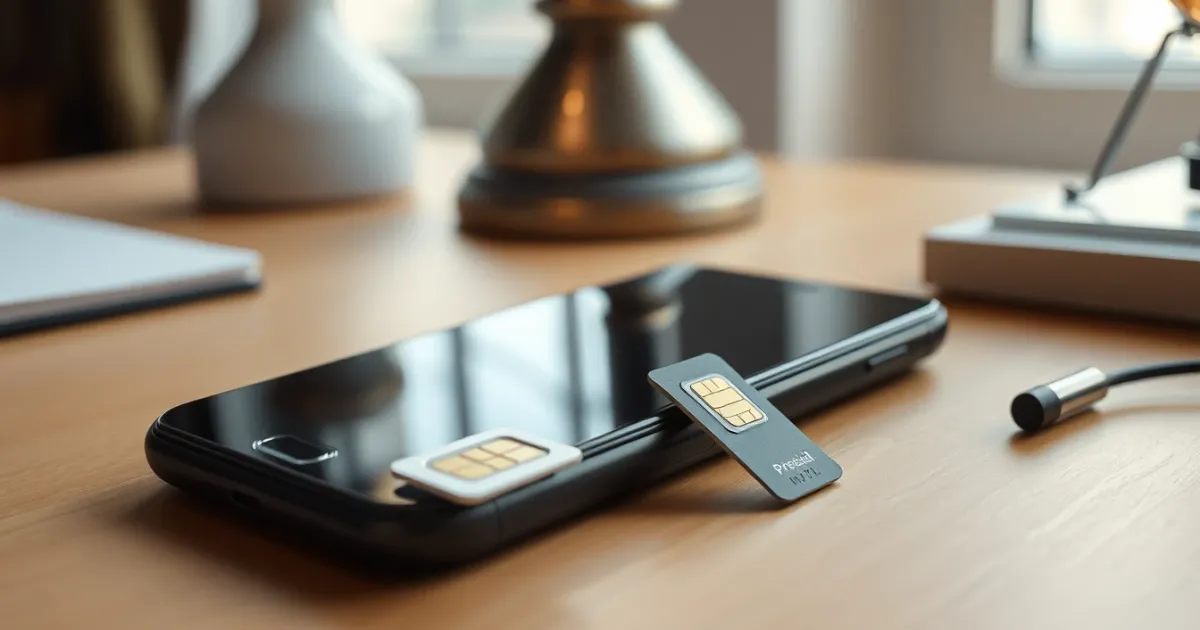
- If you want a separate number for privacy, get a real mobile line: a prepaid SIM, a second eSIM, or a number from a carrier-backed app. These look like ordinary mobile numbers to Bumble.
- If you try a virtual number service such as PVACodes, treat it as a trial. Availability varies by country, and Bumble may still refuse some numbers. Check the current terms and any refund policy before paying.
One candid limit: no seller can promise a virtual number will pass Bumble. Bumble changes its checks without notice, so a number that worked last month can fail today. If anyone guarantees success, be skeptical.
Also keep in mind that a number you rent is temporary. If it expires, you could lose access to the account when Bumble asks for a fresh code later, say after a new-device login. For an account you care about, a permanent number is safer.
Fixing a code that doesn't arrive
Start simple. Turn airplane mode on and off, confirm you have signal, and check that your phone isn't filtering unknown senders into a hidden folder. On iPhone, look under Messages, then Unknown and Junk. On Android, check the spam folder in Messages.
Carriers sometimes delay short-code messages. A normal text arrives in a few seconds, but verification texts can take a minute or two when the network is busy. Wait a full two minutes before requesting a new one, because each new request can invalidate the previous code. We see this constantly: people tap "resend" three times, then type the first code that came in, which is already dead.
If you use a prepaid plan, confirm it's active and has not blocked short codes. Some carriers and low-cost plans block them by default, and a quick call or app setting can switch it on.
Similar delivery problems show up across apps. Our guide to temporary phone numbers for Match verification covers a dating app with comparable rules, and the same logic applies here.
Fixing "too many attempts" and expired codes
If Bumble says to try again later, stop. Every extra tap resets the wait. Close the app, leave it for a few hours, then try once. Use one device and one network, and don't switch between Wi-Fi and mobile data midway, since that can look like suspicious activity.
For expired codes, enter the newest one only, and type it within a couple of minutes.
When nothing works
Work through these in order:
- Update the Bumble app, or reinstall it, then try again on mobile data instead of Wi-Fi.
- Try another real phone number you own, such as a family member's (with their permission) or a new prepaid SIM.
- Contact Bumble support through the in-app help or their website and describe the exact error message. Support can sometimes reset a stuck verification.
- If the account was created with Facebook or Apple sign-in, try that route instead of phone verification, if the app offers it for your region.
Avoid buying accounts or "pre-verified" profiles. They're often stolen or banned quickly, and using them breaks Bumble's rules.
Frequently asked questions
Is it legal to use a virtual number for Bumble?
Owning a virtual number is legal. Bumble's terms are what matter, and the app can refuse numbers it doesn't accept. Use a number honestly for your own single account and never to create fake or multiple profiles.
Why does Bumble say my number is invalid when it's real?
Usually a formatting issue: a leading zero that should be dropped, a wrong country selection, or an extra digit. Retype it from scratch using the country code dropdown instead of pasting.
Can I use a Google Voice number?
Sometimes, but it's inconsistent. Google Voice numbers are classed as VoIP, so many people report rejection. It also needs a US number to set up, and availability changes.
Do free SMS websites work for Bumble?
Rarely. Those numbers are public, shared and heavily used, so Bumble has typically flagged them. Anyone can also read your code, which is a security risk for your account.
How long should the code take to arrive?
Normally under a minute. Wait two minutes before asking for another. Repeated requests often make things worse.
Will I need the number again later?
Possibly. Bumble may ask for a new code when you log in on a new device or recover the account. If your number is gone, you may be locked out.
Is a second SIM better than a virtual number?
For reliability, yes. A prepaid SIM or eSIM behaves like any normal mobile line and tends to pass number checks more often. It costs more and takes a little setup.
Can I change my Bumble number after verifying?
Yes, in most cases through the account settings, though you'll need to verify the new number with a code. Do it while you still control the old one.
What to do next
If you have a working phone number, fix the format, wait out the delay, and try once more. That solves most cases. If you need privacy, a real prepaid or eSIM line is the dependable choice, and a virtual number from a provider like those described in our guide to buying a verification number for another app is a gamble you should test cheaply first. Skip virtual numbers entirely if the account matters long term, because losing the number can mean losing the profile.