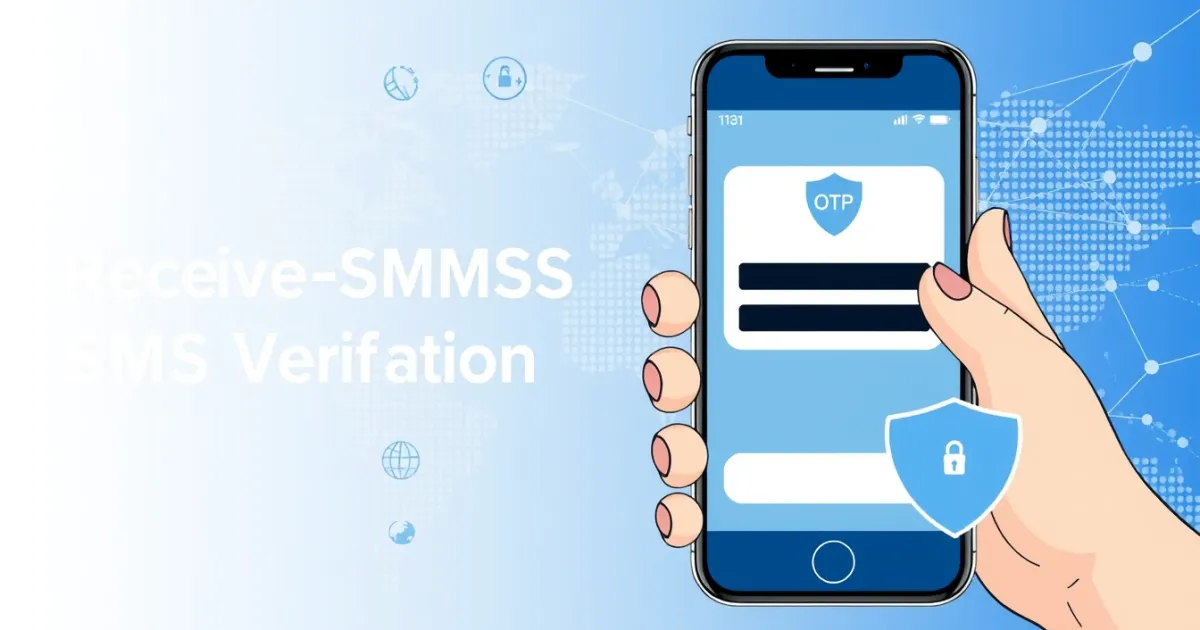
A Complete Guide to Receive-SMSS SMS Verification
Receive-SMSS SMS verification is a method used to receive one-time passwords and authentication codes online without exposing your personal phone number. It typically relies on online platforms that provide temporary phone numbers or shared inboxes. While this approach can help you complete account registrations quickly, public free numbers come with notable privacy risks and delivery limitations that you should understand before using them.
Quick Answer
Receive-SMSS SMS verification allows you to confirm online accounts using online phone numbers instead of your own mobile SIM. It is useful for quick tests, temporary sign-ups, and reducing spam, but public numbers are visible to everyone and may fail for sensitive apps like banking or major social networks.
- Can be used for quick account sign-ups or software trials
- Public inboxes do not offer privacy for private messages
- Paid rental numbers provide better reliability and private access
What it means / how it works
SMS verification is a security process where an online service sends a short numeric or alphanumeric code to a mobile number to confirm the user is a real person. Platforms use this step to prevent bot registrations, reduce spam, and secure user accounts.
When you use a receive-SMSS service, you do not use your personal phone number. Instead, you select a virtual phone number provided by the website. When the application you are registering with sends the text message, it travels through telecom SMS gateways and lands on the provider's digital inbox interface. You then view the incoming message directly on your web browser, retrieve the verification code, and type it into the app or website to finish your registration.
Virtual numbers generally fall into three categories: free public numbers, temporary numbers, and private rental numbers. Free numbers share an inbox where anyone can see incoming texts. Temporary numbers are assigned for short sessions, while rental numbers give you exclusive access to a specific line for a set period, making them much more reliable for account recovery.
Practical scenarios
- Testing web forms: Developers and QA testers use virtual numbers to verify that their automated signup forms trigger and deliver authentication codes correctly without using personal devices.
- Accessing software trials: If a digital service requires phone verification just to download a trial version, a temporary number lets you test the product without joining ongoing promotional mailing lists.
- Creating secondary accounts: Users often set up separate accounts on forums, gaming platforms, or niche communities where they prefer not to link their personal mobile number.
- Protecting primary contact details: People concerned about spam calls, marketing text messages, and data brokers often use online verification numbers to keep their personal SIM clean.
- Registering on unfamiliar websites: When exploring a new e-commerce store or digital directory that requires sudden account creation, a temporary number prevents your main phone details from entering lesser-known databases.
- International service access: Some online platforms restrict features by region. Using a virtual phone number from the correct country code can help users complete necessary verifications.
- Avoiding ongoing robocalls: Public and temporary numbers expire or cycle out of service, cutting off unwanted automated marketing calls after your initial verification is complete.
Step-by-step
Using a receive-SMSS service involves a straightforward workflow. Here is how you complete an online phone verification step safely and efficiently:
- Choose a reputable platform: Find a reliable SMS verification website that offers the country code and mobile carrier type required by the application you want to use.
- Select your country and number: Browse the available list of numbers. Make sure the country matches the geographic requirements of the platform you are registering on.
- Copy the virtual number: Copy the displayed phone number carefully, ensuring you do not include extra spaces or miss country prefix digits.
- Paste into the app or website: Go to the platform requiring verification, paste the virtual number into the phone field, and request the SMS code.
- Refresh the inbox: Return to the SMS verification website and wait for the message to arrive. You may need to click a refresh button to update the page.
- Retrieve the OTP: Read the incoming text message, find your one-time password, and enter it into the target platform to complete your account setup.
Safety/privacy/legal
While using online SMS verification tools is convenient, you must evaluate the privacy and security trade-offs before entering authentication codes into public systems.
Public free numbers are entirely open to the public. Anyone visiting the website can view all incoming messages in real-time. If you use a free public number to register for an important account, another user could potentially see password reset codes sent to that same number later on. This creates a severe security vulnerability for account takeover.
Furthermore, virtual numbers are frequently recycled by telecom providers. If an old number is reassigned to you, it might still be linked to a previous owner's account on certain apps. Always avoid using public or temporary numbers for banking, primary email accounts, cryptocurrency wallets, or government services.
Legally, using virtual numbers to receive verification codes is generally permissible for protecting personal privacy or testing software. However, using temporary numbers to create fraudulent accounts, evade platform bans, commit financial scams, or bypass terms of service violates the rules of most digital platforms and may carry legal consequences.
Best alternatives
Free public inboxes often fail because major platforms detect and block VoIP or shared numbers, or because the verification code simply never arrives due to heavy traffic. When free options fall short, users turn to paid and private virtual number providers.
For users who need a dedicated, reliable option instead of an overcrowded public inbox, PVACodes provides structured SMS verification solutions tailored to specific countries and popular applications. Choosing a private rental number gives you exclusive control over that line during your session, reducing the risk of code delivery failures and preventing unauthorized third parties from viewing your incoming authentication messages.
Other alternatives include using secondary prepaid physical SIM cards, which offer maximum acceptance rates across sensitive platforms, or using burner phone applications provided by major mobile virtual network operators, though these typically require ongoing subscription fees.
Frequently Asked Questions
Q
What is receive-SMSS SMS verification?
It is a process where you receive one-time passwords and verification codes online using a virtual phone number instead of your personal mobile device.
Q
Are free receive-SMS websites safe to use?
They are safe for low-risk tasks like software trials, but they are not safe for personal accounts because all incoming messages are visible to the public.
Q
Why is my verification code not arriving?
Verification codes often fail because the platform blocks shared virtual numbers, carrier gateways experience delays, or the number has been flagged for heavy usage.
Q
Can I use a virtual number for my bank account?
No. Financial institutions require private, non-VoIP mobile or landline numbers tied directly to your identity for security and regulatory compliance.
Q
What is the difference between a public number and a rental number?
A public number shares its inbox with everyone on the internet, while a rental number gives you private, exclusive access to receive messages for a set duration.
Q
Will virtual numbers work for WhatsApp or Telegram?
Major messaging apps frequently update their security filters to block known virtual and VoIP number ranges, meaning success rates vary by provider and country.
Q
How long do temporary phone numbers last?
Free temporary numbers often change or expire within hours, while paid rental numbers can be kept active for days or weeks depending on your subscription.
Q
Is it legal to use online SMS verification?
Yes, using temporary numbers for privacy or software testing is legal, provided you do not use them for fraud, spam, or violating platform terms.
Q
What does OTP mean in SMS verification?
OTP stands for one-time password, which is a security code sent via text message that is valid for only a single login or transaction attempt.
Q
How do I choose the right SMS verification provider?
Look for providers with clear country coverage, transparent pricing, dedicated private numbers, and support for the specific apps you need to verify.
Conclusion
Receive-SMSS SMS verification tools offer a practical way to handle online registrations without exposing your private phone number. While free public inboxes work well for quick tests and low-risk sign-ups, they lack the security required for important accounts. Assess your security needs, avoid using shared numbers for sensitive platforms, and choose private rental options when you need reliable, repeatable OTP delivery.